
🔥 Top Pokies at bCasino











bCasino Login — Secure Access to Your NZ Account
Your bCasino account is your gateway to over 4,000 pokies, live dealer games, and exclusive promotions designed for Kiwi players. Log in once and you stay connected across every section of the platform - game lobby, cashier, bonus dashboard, and account settings - without repeated password prompts interrupting your session. Once you're in, you're in.
Modern browsers can remember your credentials securely, meaning you access your account with a single click on return visits. Your session persists across game lobbies, payment pages, and bonus dashboards, all protected by MGA-mandated security protocols. Haven't registered yet? Create your account and claim your welcome bonus of 100% up to $500 plus 50 Free Spins.
Trouble Logging In? Quick Fixes
The most common login issue is a simple password mistype - passwords are case-sensitive, so check that caps lock is off before trying again. If you've forgotten your password entirely, click the Forgot Password? link below the login fields. We'll email you a secure reset link instantly. Do not create a second account: this violates MGA licensing rules and could result in both accounts being locked.
Here's how the reset process works. Enter your registered email address and check your inbox - including your spam folder - for a link from bCasino. Click it to set a new password. The link expires after 60 minutes for security. If the email doesn't arrive within a few minutes, contact our 24/7 live chat support, who can verify your identity manually using your date of birth and registered address.
Your browser can save your login credentials to remove the need to type them each visit. Chrome, Safari, and Firefox all offer this feature natively. When you log in successfully, your browser will prompt you to save the details - click Save and future visits auto-fill with one click. For the strongest account protection, use a unique password for bCasino that you don't reuse elsewhere: at least eight characters combining uppercase letters, lowercase letters, numbers, and symbols.
Security Alerts for Every Account Event
We monitor your account for unusual activity and send instant alerts when we detect login attempts from new devices or locations. You'll receive a notification via email within seconds of any security event, including the device type, browser, and approximate location of the attempt. If the activity wasn't you, change your password immediately and contact live chat support.
Your login credentials are encrypted using SSL before transmission to our servers. This means even if someone intercepted the data in transit, they'd see scrambled characters rather than your actual password. We apply this encryption across every page where you enter sensitive information - login forms, deposit pages, and account settings alike.
Account Lockout After Failed Attempts
After five consecutive failed login attempts, your account locks automatically for 15 minutes. This prevents automated scripts from running through thousands of password combinations. During the lockout you'll see a message showing when you can try again. If you've genuinely forgotten your password, use the Reset Password link rather than continuing to guess - it's faster and avoids the lockout entirely.
The lockout resets after a successful login or when the 15-minute window expires. Failed attempts are tracked by IP address and username combination, so someone else's failed attempts on the same network won't affect your access. If you need immediate access during a lockout, contact live chat support with your account details and they can help within minutes.
Sessions Across Multiple Devices
You can stay logged in on up to three devices at the same time - your laptop, phone, and tablet, for example. Each device holds an independent session. If you log in from a fourth device, the oldest session closes automatically. This prevents unauthorised users from keeping permanent access even if they somehow obtain a session token.
Sessions expire after 24 hours of inactivity, requiring you to log in again if you haven't visited bCasino for a full day. When you click Log Out, we immediately revoke all active sessions associated with your account across every device. This is especially important if you've logged in from a shared or public computer. We also provide a Log Out All Devices option in your account settings for added peace of mind.
| Session Type | Duration | What Ends It | What It Protects |
|---|---|---|---|
| Standard Login Session | 24 hours of inactivity | Logout, password change, suspicious activity detected | Keeps you signed in across page changes without re-entering credentials |
| Remember Me Session | 90 days | Password reset, manual logout, security breach detection | Persistent access on trusted personal devices without daily login |
| Mobile Auto-Logout | 10 minutes of inactivity | Screen lock or app switch for more than 10 minutes | Prevents access if your phone is picked up while unattended |
| Multi-Device Limit | Up to 3 simultaneous devices | Fourth device login closes the oldest session automatically | Limits exposure if a session token is ever compromised |
| Post-Logout Revocation | Immediate on logout | Clicking Log Out or Log Out All Devices in settings | Ensures previous sessions on shared or public devices cannot be resumed |
Mobile Login and the PWA
bCasino works seamlessly on mobile browsers without any download. Open Safari on iPhone or Chrome on Android, visit bCasino, and the login form loads identically to the desktop version - just arranged for your screen. Text stays readable, buttons are sized for comfortable tapping, and the keyboard adapts to each input field automatically.
Tablet login gives you the full desktop experience with controls optimised for touch. The larger screen suits landscape orientation for pokies with wider aspect ratios and gives live dealer tables plenty of room to display betting layouts clearly. For more on the mobile experience and how to install the PWA, see the bCasino mobile guide.
Biometric Login
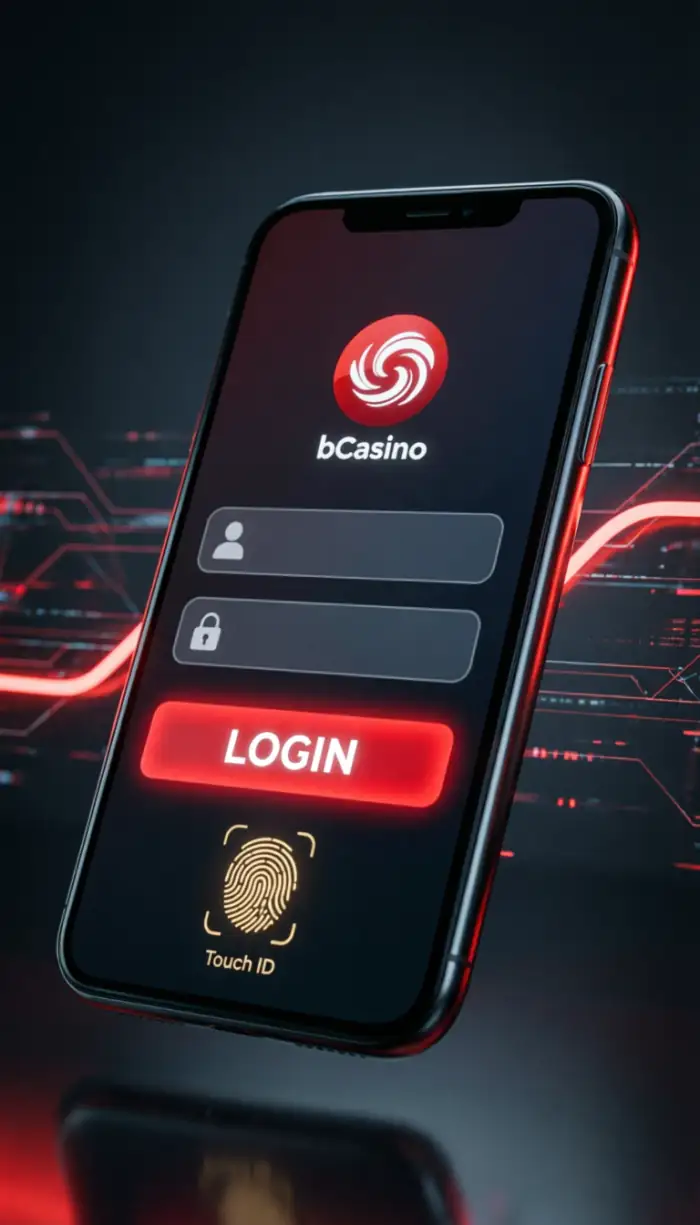
After your first successful password login, you can enable fingerprint or Face ID login on supported iOS and Android devices. From that point, a glance or a tap gets you into your account in under two seconds. Your biometric data never leaves your device - bCasino uses your phone's own secure hardware to verify your identity, so no facial map or fingerprint image is stored on our servers. Fast access, full privacy.
Auto-Logout on Mobile
If you switch apps or lock your screen for more than 10 minutes, bCasino logs you out automatically. This protects your account if you put your phone down in a public place. When you return, biometric login gets you back in almost instantly - the security measure adds no real friction to your experience.
Login Errors and How to Fix Them
Most login problems on mobile stem from outdated browser software or settings that block the cookies our login system needs. If you're seeing error messages or blank screens after entering your password, start by clearing your browser cache. On iPhone: Settings → Safari → Clear History and Website Data. On Android: open Chrome → Settings → Privacy → Clear Browsing Data. Close your browser fully afterwards and try logging in again.
If clearing the cache doesn't resolve it, try accessing bCasino from a different browser. Some privacy settings can block the cookies needed for session management. Switching to Chrome or Firefox temporarily confirms whether browser settings are the cause. Network timeouts occur when your connection is too slow to complete the login process - switching from public Wi-Fi to mobile data (4G or 5G) bypasses port restrictions that some public networks apply to gaming sites.
| Error or Symptom | Likely Cause | How to Fix It | How to Prevent It |
|---|---|---|---|
| Blank screen on login | Outdated browser or corrupted cached files | Clear browser cache, update browser, try again | Keep browser updated to the latest version |
| Login button does not respond | JavaScript blocked by a browser extension | Disable ad blockers or privacy extensions temporarily, then retry | Whitelist bCasino in your extension settings |
| Infinite loading after password entry | Slow or unstable network connection | Switch from public Wi-Fi to mobile data and retry | Use a stable connection for gaming sessions |
| Session expires immediately after login | Cookies disabled in browser settings | Enable cookies for bCasino in browser privacy settings | Allow cookies from trusted gaming sites |
| Balance shows as zero after login | Stale cached data being served | Pull down to refresh the page or log out and back in | Refresh your account page after every login |
| Games do not load after login | Hardware acceleration disabled in browser | Enable hardware acceleration in browser advanced settings | Keep hardware acceleration on for best performance |
Your Bonuses Are Ready
Once you're logged in, your welcome package sits in the promotions tab: 100% up to $500 plus 50 Free Spins on your first deposit, with the full three-stage package worth up to $1,200 and 100 Free Spins. Deposits process instantly through POLi from your bank account, Paysafecard, Visa, and Mastercard. For the complete breakdown of wagering terms and eligible games, visit the bonuses page.
We recommend uploading your verification documents as soon as you register - a photo ID and a recent bank statement or utility bill. The verification team reviews documents within 24 hours, and a verified account means your first withdrawal processes without any delay when a big win lands.
FAQ
How do I appeal a suspension at bCasino?
Contact our support team via live chat or email with your account details and a brief explanation of the situation. We review each appeal individually and respond within 48 hours. If the suspension resulted from a misunderstanding or technical error, access is restored immediately. Security-related suspensions may require additional identity verification before reactivation.
How do I remove browser extensions that block bCasino?
Open your browser's extension manager - usually found in Settings or the Tools menu. Look for ad blockers, privacy extensions, or VPN tools that might interfere with the site. Disable them temporarily and refresh bCasino. If the site loads correctly, whitelist bCasino in the extension's settings so it stays disabled only for our domain. Common causes include uBlock Origin, Privacy Badger, and script blockers.
Which browser works best for bCasino?
Chrome and Safari deliver the best performance for pokies and live dealer games. Both support the web technologies our platform requires for graphics and real-time communication. Firefox works well too, though some older versions may load more slowly. Keep your browser updated to the latest version for the best security and performance.
Why do animations stutter on bCasino?
Animation stutter usually means your device is struggling to render graphics at the required rate. Close other browser tabs and applications to free up processing power. On a laptop, plug in to mains power - many devices reduce performance when running on battery. You can also lower graphics quality in individual game settings to improve smoothness on older devices.
Does bCasino monitor for identity theft?
Yes - we track login patterns and flag unusual activity that may indicate unauthorised access. This includes logins from new countries, repeated failed password attempts, or sudden changes to withdrawal details. When suspicious activity is detected, we temporarily freeze the account and send you an alert via email. You'll need to verify your identity through our support team before access is restored.
How do I manage trusted devices in bCasino settings?
Log in and navigate to Settings, then Security. You'll see a list of devices where you've recently logged in, identified by device type, browser, and last access date. Click the X next to any device you don't recognise to revoke its access immediately, which invalidates any active session on that device.
How do I know if my bCasino account is fully verified?
Check your account dashboard for a verification status indicator. Fully verified accounts display a green checkmark next to your username. If verification is pending, a warning icon shows which documents we still need - typically a photo ID and proof of address. Upload them through the verification page and we'll review within 24 hours. You can play while verification is pending, but withdrawals are held until the process is complete.
Can I log in to bCasino while travelling abroad?
Your account remains accessible from most countries, though local regulations may restrict access in some jurisdictions. When you log in from a new location, we send a verification notification to confirm the activity. If your destination restricts online gaming, you'll see an explanatory message. Your account and funds remain safe regardless of temporary access limitations while you're away.
How do I clear cache to fix login loops at bCasino?
Login loops happen when corrupted cached data prevents your browser from storing session cookies correctly. On desktop, press Ctrl+Shift+Delete (Windows) or Cmd+Shift+Delete (Mac) to open the clear browsing data menu. Select cookies and cached files, then click Clear Data. On mobile, go to browser settings and find Clear Browsing Data. Close your browser completely before attempting to log in again.
What if I forgot my security questions at bCasino?
Use the Forgot Password link on the login page to verify your identity through email instead. We'll send a reset link to your registered address - click it to set a new password without needing to answer security questions. If you no longer have access to your registered email, contact live chat with your account username, date of birth, and recent transaction details to verify your identity manually.